










Figures from your ERP, approvals on WhatsApp.

Accounting, sales and stock live in one ERP. Nusafix's AI assistant reads it and keeps you posted on WhatsApp: orders that need approval, overdue invoices, stock running low.

Free consultation on WhatsAppChat on WhatsApp

Free consultation, no obligation. Someone from the Nusafix team replies, not the agent.

See the conversation
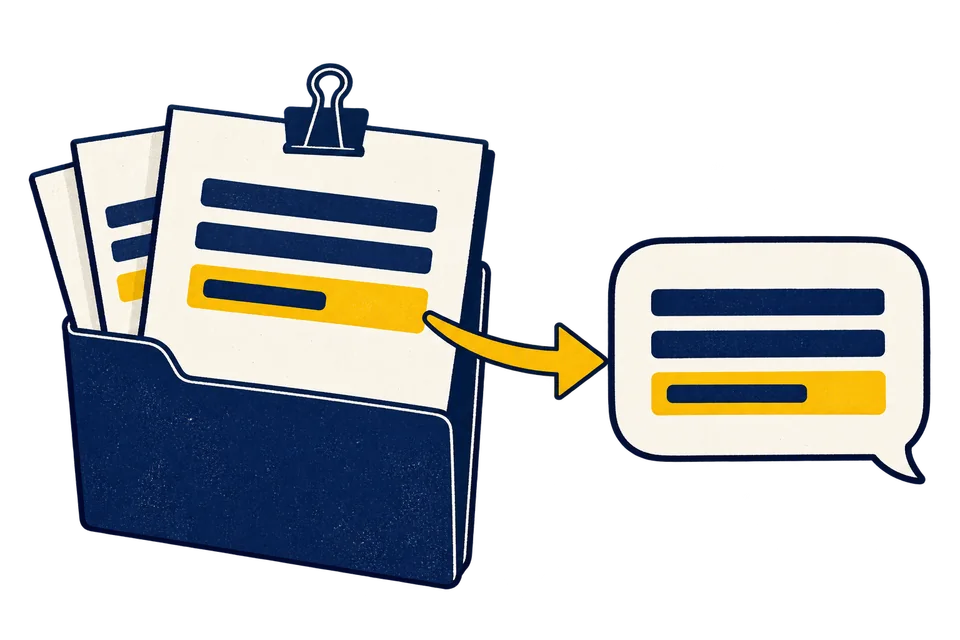
Record sheets in a folder connect to a message bubble; the same yellow-highlighted row appears in both.
Nusafixoperations agent

A new order is waiting for your decision.

Sales Order
SO-2026-0142
Order value
Rp42,000,000
Requested discount
8% / 5% limit
Margin after discount
12%
09.42
A sample message, using the illustrative data from the demo below.
Need ERP, a website or content first?

Try the conversation

Tap a figure to open its record; you make the call.

+ Other areasEvery part of running the company can get the same assistant.

Sample conversation
Nusafixoperations agent
September 9, 2026

Good morning, Bu Rani.

09.40

A new order is waiting for your decision.

PT Sumber Niaga submitted an order with a discount above policy. Here is the context.

09.42

Tap any of these to open the record it came from.

Choose a reply above

This conversation is not connected to a business system or WhatsApp. In real use, the agent works within your own user permissions. The figures come from records, and an explanation written by AI can still be wrong.

Have a workflow like this?

The agent is available now. The free consultation looks at one of your decision flows and tells you whether the agent fits it.

Free consultation on WhatsAppChat on WhatsApp

The limits that apply, and where the demo shows them.

Where do the figures come from?

From your own system. The AI only decides which data to fetch.

  • Every figure can be checked against its record.

    Balances and differences are read straight from your system, or computed the same way every time.

  • If it can't be computed yet, the agent says so.

    A question beyond its reach gets a plain answer. It doesn't guess.

  • When there is nothing to report, the agent stays silent.

    It doesn't invent alerts to look busy.

Two staff checking a carton on a trolley against a stock sheet on a clipboard, between warehouse shelves.
Stock check

The one who taps Approve is still you.

A hand waiting above two blank choices on an order sheet, pressing neither one.
  • The agent never approves on your behalf.

    There is no setting that turns on automatic approval.

  • Its access follows the user in your ERP.

    The agent can see and do only what that user is allowed to. Once that user is deactivated, the agent's access stops too.

  • Before creating or cancelling anything, the agent reads it back to you.

    Only for documents on the list we agree at the start. After reading it back, the agent waits for your answer.

  • If the system isn't safe yet, the agent only reads.

    Say your ERP can't limit permissions or prevent duplicate entries yet. Until that's fixed, the agent reads data and changes nothing.

If Nusafix stopped tomorrow, your data stays yours.

The ERP and your business data stay yours. Only the agent stops. Who keeps the connection to your system, and what gets handed over, goes in the contract.

Three record sheets remain in their folder while the connection to a message bubble is disconnected.
ERP
Stays yours
Business data
Stays yours
Agent
Stops

And if you want to stop first?

The agent reaches your ERP through one user. Once that user is deactivated, its access to your system ends right away.

Set off from where your business stands today.

Whichever route you take, we look at your data and permissions before any work starts.

  1. Today you have
    records in Excel, in an accounting app alone, on paper notes or in WhatsApp groups. Or an ERP your team works around.
    Two staff reconciling printed records with a laptop and notebook at a desk beside carton shelving.
    Reconciling records
    Start with

    ERP

    An ERP that Nusafix runs for you. Your digital history comes across in full; paper and chat records start from opening balances.

    Price
    from Rp2.5 million/month · 12-month minimum
    Past work
    A distribution/trading business in Jabodetabek
    After that
    The WhatsApp agent can follow once your records are in the ERP.
    Discuss ERP on WhatsApp
  2. Today you have
    an ERP that already runs, while your website shows none of what is in it.
    A worker checking a phone at a dispatch counter, with a dispatch sheet and cartons in front of him.
    Dispatch counter
    Start with

    Website

    A website that reads straight from your ERP. We check the connection first, because not every ERP can be read from outside.

    Customer portalSigned in as PT Sumber Niaga

    SO-2026-0150Product A

    Ordered
    200 units
    Shipped
    120 units · September 8, 2026
    Not yet shipped
    80 units
    Invoice
    Rp25,200,000 · Unpaid
    Sample data: the same order as the demo's Tracking tab.
    Price
    Quoted after we check your ERP
    Past work
    A logistics company in Jabodetabek
    After that
    The WhatsApp agent can follow, reading the same ERP, once we have assessed it.
    Discuss the website on WhatsApp
  3. Today you have
    a system and a website that already run. What you are after now is new customers.
    Two staff preparing a phone photograph of a drink and pastry at a café counter.
    Making product content
    Start with

    Content

    Content planned from your sales and stock data, with new leads landing in your ERP.

    Price
    from Rp2.5 million/month · 3-month minimum
    Past work
    A retail/F&B business in Jabodetabek
    After that
    None. Content stands on its own.
    Discuss content on WhatsApp

See every package and price

We start from your workflow.

A free, no-obligation consultation. We map your workflow before suggesting what the agent should cover and what it costs.

A man sitting at a working desk reading a phone, with a notebook in front of him and carton shelving behind.
At the desk
  1. Find the decision that gets stuck

    Describe who decides, which information they need, and where work stops.

  2. Map data and access boundaries

    Review current systems, record sources, user roles, migration needs and data preparation.

  3. Agree on scope

    Define test scenarios, implementation needs, costs and service readiness with Nusafix.

Before you message us.

Which number do the messages come from? Can my staff see them?

A WhatsApp Business number set up only for your agent. Every client gets its own. Messages go only to the people registered on it, usually you. Your staff don't see the chat unless you ask us to add them.

Can I use the agent now?

Yes. It starts with a free consultation: we check your ERP, data and permissions first, then set the agent up.

How long until the agent is running?

It depends on your ERP and the state of its data. We give you a time estimate after the check, before any work starts.

When will I know what the agent costs?

After the free consultation. The agent's cost depends on your system, your data and the decisions you want on your phone, so we do not quote before then. The other services have their own package prices on the services page.

What can it connect to?

The ERP you already use, if its permissions and data can be limited safely. If you don't have one yet, an ERP we manage for you. We check both first.

Is the demo above connected to a real system?

No. The conversation, figures and source records are illustrative data. No ERP or WhatsApp is connected.

Do I have to take the agent to buy ERP, a website or content?

No. Each one stands on its own. The agent can follow later if it fits, or never.

Start with one decision that is still waiting.

Tell us about the workflow that still sends you chasing answers. We will discuss fit and the next step.

Free consultation on WhatsAppChat on WhatsApp

Free consultation, no obligation. Someone from the Nusafix team replies, not the agent.

Ownership and cost: the full answers
NusafixNusafix team

Tell us three things.

Your business and the process that gets stuck most often.

The information you need before making a decision.

The systems you use and what you want to change.

Do not send passwords or customer data for the initial conversation. An outline is enough.